The easier way to schedule client meetings.
Share a Groop link with your client. They mark when they're free. You mark your availability. Groop shows the slots that work for both of you, without either of you sharing your full calendar.
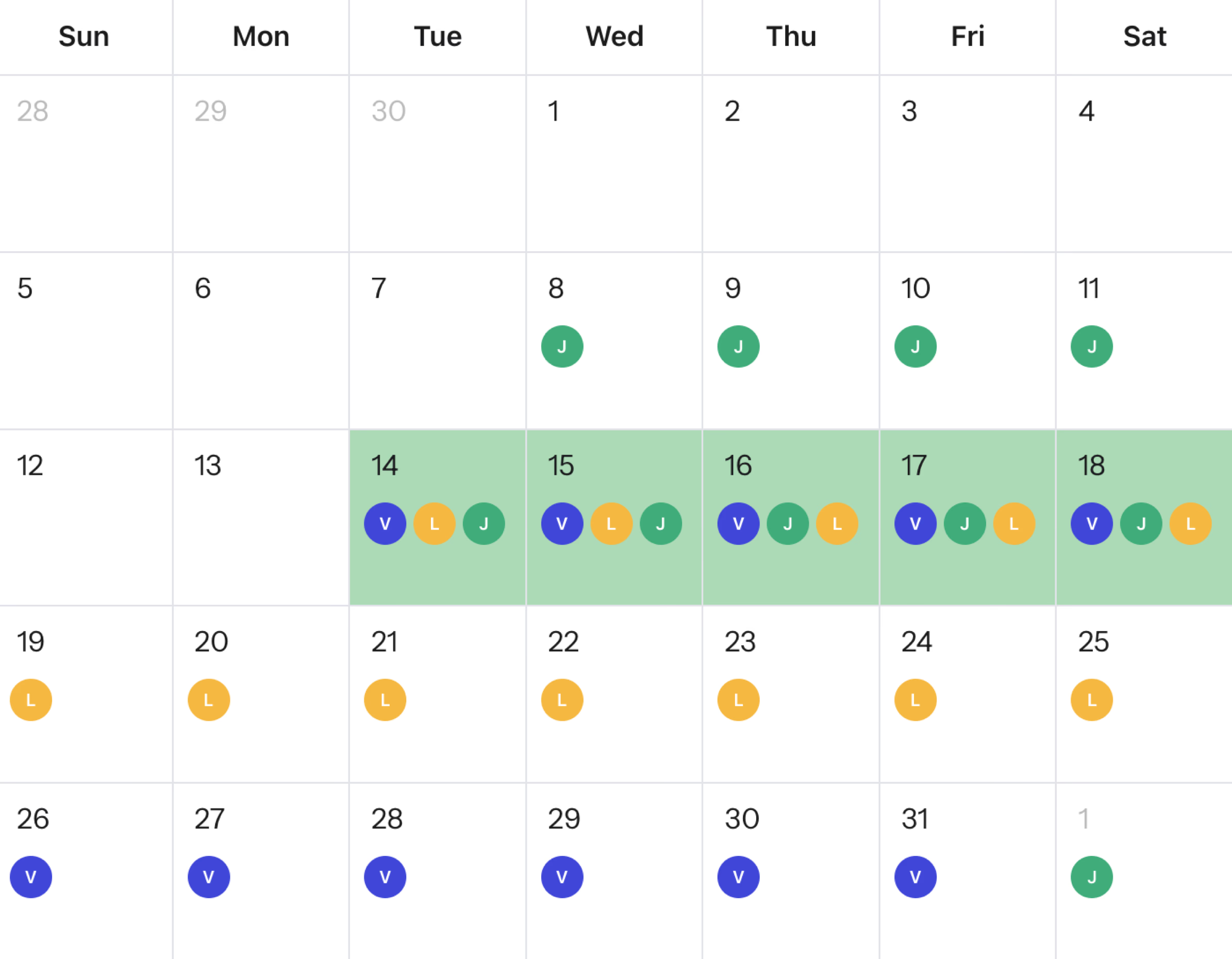
Groop is a free client meeting scheduling tool for freelancers and consultants, with no account required for clients. Share a link and you both mark when you're free. Groop shows where your availability overlaps. If you'd rather send your client two or three specific time options to pick from, you can do that instead. Free forever, no ads.
How to schedule a client meeting without sharing your full calendar
Find when you're both free
Share a Groop link and you both mark your available times. Groop shows the slots where you overlap. No need to share your full calendar, no sign-up required on their end.
Send clients specific options to pick from
Already know a few times that work for you? Share them with your client and they pick the one that suits them. Clean, fast, professional.
One link works for any client
Create a fresh Groop for each client engagement. No need to update a recurring booking page. Each link is self-contained and takes under a minute to set up.
No account required for your clients
Clients open the link in their browser and respond. No app to download, no account to create. A simple, professional experience from the first click.
How Groop Works
From link to decision in under a minute.
Create a Groop
Give your event a name. No account required.
Share the link
Send it to your group via WhatsApp, Slack, or email.
Find the date that works
Everyone marks their availability and Groop shows when you can all meet.
Frequently asked questions
How do I schedule client meetings without the email back-and-forth?+
Share a Groop link with your client. They mark when they're available, you mark your free times, and Groop shows the slots that work for both of you.
Is Groop free for freelancers?+
Yes. Groop is completely free. No account required for your clients.
Does my client need to create an account?+
No. Clients open the link and respond directly in the browser. No sign-up, no download.
What is the difference between Groop and Calendly for freelancers?+
Calendly lets clients self-book from your open slots. Groop is for finding a time together: both you and your client mark availability, and Groop shows where you overlap. Groop is better when you want mutual input rather than one-sided booking.
Can I use Groop for group workshops with multiple clients or attendees?+
Yes. Groop handles any number of participants. Share the link with all attendees and find the time that works for the whole group.
Ready to reclaim your time?
Join thousands of people who find common available times in seconds, not hours.
No account required • Free forever • No ads, ever