The Modern Alternative to When2Meet
Filling in a When2Meet on your phone is painful. Groop is free, needs no account, and works on any device.
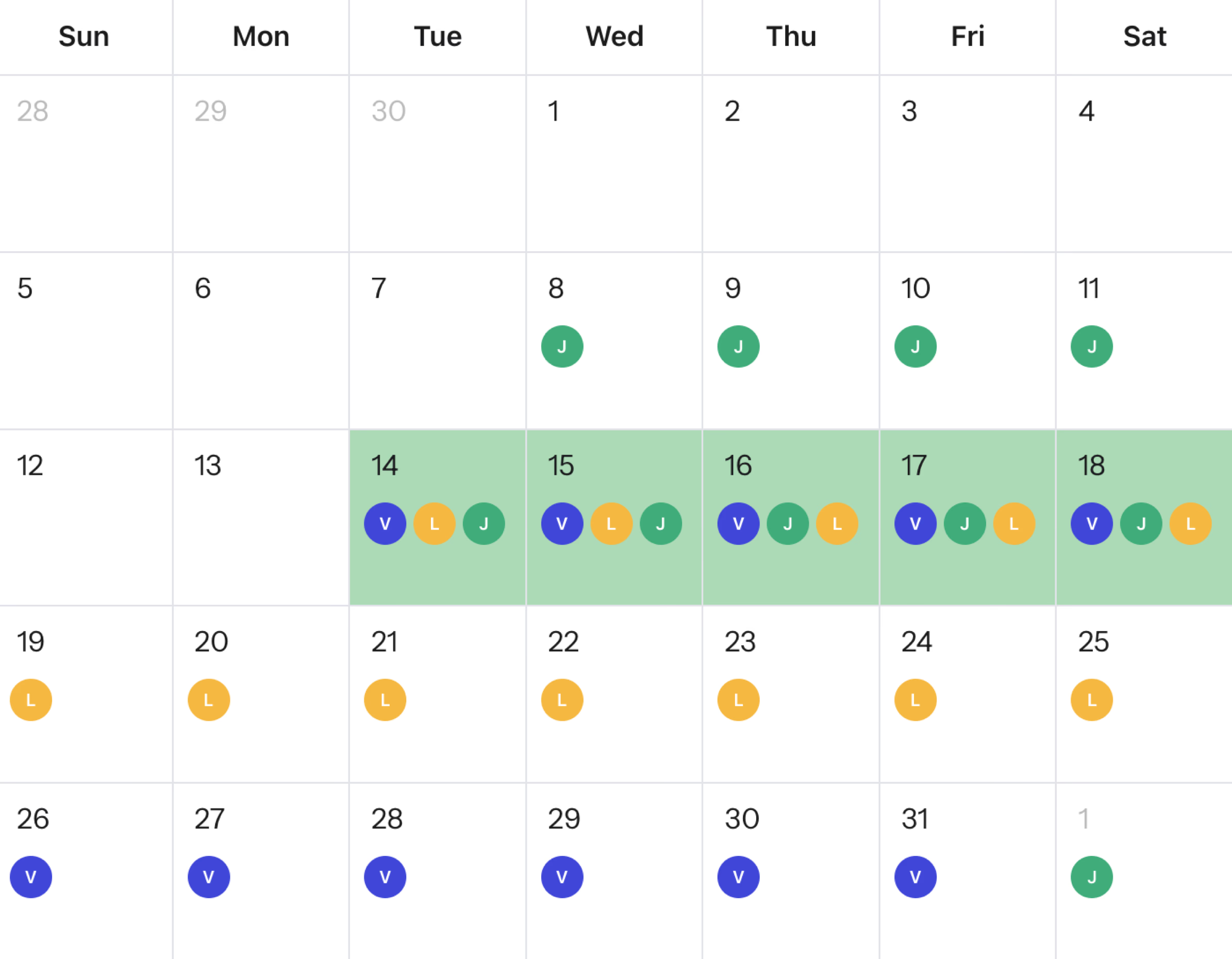
Groop is a free When2Meet alternative built for how people actually schedule today. When2Meet's grid concept is genuinely effective for desktop users who want a fast, visual overview of group availability. The problem is that most participants are on their phones, and When2Meet's interface was built for desktop and has not changed in years. Groop gives you the same shared-availability approach with a clean, responsive experience on any device, and no account required for you or the people you invite.
Groop vs When2Meet
| Feature | Groopfree | When2Meet |
|---|---|---|
| Mobile friendly | Desktop only | |
| Monthly calendar view | Time grid only | |
| Shared availability calendar | ||
| Date poll mode | ||
| No account needed | ||
| Free | ||
| No ads | ||
| Event description | ||
| Modern UI |
Why people look for a When2Meet alternative
No mobile app or responsive design
When2Meet was built for desktop. On a phone, the drag-select grid is hard to use and the layout breaks. Most of your participants are on mobile, and many will give up before finishing.
An interface that hasn't changed in years
When2Meet's grid layout, color scheme, and typography look exactly as they did when the tool launched. The design works, but it feels dated and can confuse first-time users who are not used to it.
Time slots only, no monthly calendar
When2Meet shows a grid of time slots within a single week. That works for finding a meeting time. But if you want to find a free weekend in August or plan a multi-day trip, there is no calendar view to work with.
No description or context for participants
When2Meet events have no description field. Participants see a name and a grid, nothing else. There is no way to tell them what the event is for or what to expect.
How Groop improves on When2Meet
Works on any device, any screen size
Groop is fully responsive. Participants open a link and mark their availability on iPhone, Android, or desktop. No drag gestures, no zooming in, no giving up halfway.
Find a free date, not just a free hour
Need to find a shared weekend this month? A free evening in the next few weeks? Groop's calendar view lets everyone mark availability across any time range, not just a single week window.
Context for every event
Add a description to your Groop so participants know what they are signing up for. No more blank grid with only a title.
Simple for first-timers
Participants open a link and the interface makes it obvious what to do. No learning curve, no outdated conventions to figure out. Works the same for someone who has never done this before.
How Groop Works
From link to decision in under a minute.
Create a Groop
Give your scheduling event a name. No account required.
Share the link
Send it to your group via WhatsApp, Slack, or email.
Find the best time together
Everyone responds and Groop shows when you can all meet. Share one link, get a clear answer.
Frequently asked questions
Does Groop work on mobile?+
Yes. Groop is fully mobile-responsive and works on any device. When2Meet has no mobile app and its drag-select grid is difficult to use on a touchscreen.
Is Groop free like When2Meet?+
Yes. Groop is completely free, just like When2Meet, with no account required. It also works on mobile and lets you schedule across a full calendar month, not just a single week.
What is the difference between Groop and When2Meet?+
When2Meet was built for desktop and only shows a time-slot grid within a single week. Groop works on any device, supports flexible date scheduling across a full month, and lets you add a description so participants know what they are responding to.
Do participants need an account to use Groop?+
No. Participants open the link and mark their availability directly. No sign-up, no login, no app download.
Ready to reclaim your time?
Join thousands of people who find common available times in seconds, not hours.
No account required • Free forever • No ads, ever